Wednesday, 5 June 2019

Hard Drive Recovery Group Discusses Data Analysis And Data Protection With Latest Blogs

Data recovery service provider Hard Drive Recovery Group discusses the differences between data analysis and data visualization with its latest blog post.

As the corporate world continues to mine and find new ways to work with data, analysis has become a large sector for people with backgrounds in computer science and mathematics. This has resulted in a reasonable number of new jobs in a variety of sectors.

"Data analysis is no longer the classic 'nerd in a cave' sector that it used to be," said Maureen Davies, spokesperson for Hard Drive Recovery Group. "As corporations have begun to see the potential and profit hidden within their company and customer data, they are looking for self-starters and high achievers - ones that happen to know how to work and analyze data to create results."

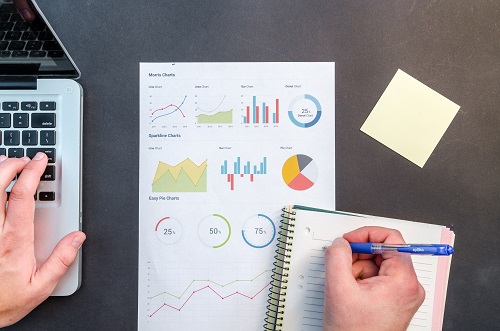
Data visualization, meanwhile, tends to focus on the actual visual presentation of data, whether it be through charts, graphs or others pictorial forms. The goal of any solid data visualization expert is to make data analysis conclusions very simple to decipher for the reader that may not be completely familiar with the original study.

"Data visualization is one of those skills that allow executives and sales people to understand pretty complex data sets quickly and without a lot of background," said Davies. "These creators can be huge in terms of presenting findings from data analysis that would never be very obvious to the layman."

During the month of May, Hard Drive Recovery Group tackled a variety of subjects in its blog, starting out the month discussing data loss and backups.

"As a data recovery company, we are always surprised by new causes and symptoms of data loss that computer users seem to come up with on a daily basis," said Davies. "In the end, proper backup plans are by far the absolute best way to avoid data loss, and we recommend that every computer or smartphone user create one and stick to it."

In another post, the company addressed both RAID and NAS systems, as well as new TSA regulations that will soon allow laptop users to keep their computer in their case during security checks.

"When it comes to air travel, one of the biggest bottlenecks when it comes to time and delays has got to be pre-boarding security," said Davies. "Any ways that the TSA can lessen the time it takes for each individual passenger to get through security is going to have a major effect across the board."

Another blog post references the popularity of SSD drives as well as restoring backups - the latter a process that few people tend to discuss.

"By far one of the most overlooked things when it comes to backing up data is testing the actual backup file itself," said Davies. "There truly is nothing worse than losing a hard drive due to mechanical failure, and then going to your backup only to discover that the file is corrupt or that the backup process was somehow faulty."

Backing up hard drives is one of those tasks that has been made quite easy as of late by newer advances in backup software both as paid for applications and as freeware. To add to this ease is the fact that external hard drives are now in the 4-5TB range, which is more than enough for almost all consumers that don't count video as a major part of their data.

"The great thing about the new external drives is that you can literally take all of your data anywhere," said Davies. "This can be a double edged sword, of course, which is why we recommend a backup drive stay put in a closet or in a place where it can always be accessed for backups on the go."


from Hard Drive Recovery Group

Monday, 3 June 2019

Data Analysis Vs. Data Visualization: What’s The Difference?

We all work with data. Smart decisions can’t be made without data. It’s safe to say that data make the work go around. Just imagine if there weren’t any data. Where would we all be? We’d all be back in the dark ages where our survival was based merely on hunting for food. We have definitely gone a long way since then because our survival now relies on data.

Nowadays, the data industry has grown immensely. From data practitioners to data scientists, several skill sets have been created to deal solely with data.

Numerous job adverts focus on data visualization skills while not necessarily specifying the importance of analytical skills. Job titles reflect this trend with the emergence of new roles such as ‘data artist’, ‘data visualization expert’ and ‘data storyteller’, but organizations are still looking for people who can extract value from their data, so these roles must include analytical skills.

(Via: https://www.forbes.com/sites/evamurray/2019/03/29/what-is-the-difference-between-data-analysis-and-data-visualization/#3d7c8c606411)

In this huge data community, there are two terms that are bit confusing. These two data terms are data analysis and data visualization. What’s the difference between the two?

The two terms data analysis and data visualization seem to have become synonymous in everyday language in the wider data community.

(Via: https://www.forbes.com/sites/evamurray/2019/03/29/what-is-the-difference-between-data-analysis-and-data-visualization/#3d7c8c606411)

We often hear about data analysis in the workplace. It’s a term that’s used all the time. The question is, what really is data analysis? Is it really just analyzing the data that’s made available?

Data analysis is an exploratory process that often starts with specific questions. It requires curiosity, the desire to find answers and a good level of tenacity, because those answers aren’t always easy to come by.

(Via: https://www.forbes.com/sites/evamurray/2019/03/29/what-is-the-difference-between-data-analysis-and-data-visualization/#3d7c8c606411)

It really takes more than just analyzing available data. It’s not enough to say that we all have to look deeper into the data to get insightful answers or solutions. Data analysis is a fact-finding process to discover something relevant.

Data visualization may sound new. Nonetheless, it's a very significant and specific task in the wonderful world of data.

Data visualization involves the visual representation of data, ranging from single charts to comprehensive dashboards. Effective visualizations significantly reduce the amount of time it takes for your audience to process information and access valuable insights.

(Via: https://www.forbes.com/sites/evamurray/2019/03/29/what-is-the-difference-between-data-analysis-and-data-visualization/#3d7c8c606411)

Is one more important than the other? Of course not. Both are greatly important in the world of data. As a matter of fact, one can't do without the other.

However, that’s not to say that the two never work in harmony – far from it. In working with data, analysis should come before the visual output, but visual analytics can be an excellent method for running more effective analyses.

Visual analytics involves the process of building different charts with your data to give you various perspectives. This helps you identify outliers, gaps, trends and interesting data points that warrant further investigation.

(Via: https://www.forbes.com/sites/evamurray/2019/03/29/what-is-the-difference-between-data-analysis-and-data-visualization/#3d7c8c606411)

Both data analysis and data visualization are important in coming up with cutting-edge findings. With the exponential growth in data, data visualization makes it easier for us to get a representation of what we need exactly from the raw data. Since data visualization transforms critical information into charts, graphs, videos, and images we are able to understand the numbers and eventually gain valuable insights from them.

The data world is so huge these days that we all need various ways to create value out of them. Both data analysis and data visualization are ways to make use of the abundant information that’s available out there.

That just goes to show the importance of data in everyday life. We simply cannot make sense of the available data if we don’t protect them. It’s a no-brainer. We won’t be able to analyze data, more so visualize them, if we don’t protect them.

When it comes to data, especially big data, protecting them is the first thing we should consider. How do we do that? We should be aware of how we can recover data in case something happens to our computers.

While we can do our own little way to recover data, big data recovery should be left to the experts at https://www.harddriverecovery.org/data-recovery-services.html. When it comes to big data recovery, the experts know better.

The following post Data Analysis Vs. Data Visualization: What’s The Difference? was originally published to Hard Drive Recovery Group


source https://www.harddriverecovery.org/blog/data-analysis/

Wednesday, 29 May 2019

Hard Drive Recovery Group Discusses Privacy Flag, Smartphone Data Transfer In Latest Blogs

In its latest blog, Hard Drive Recovery Group discusses a new EU funded project that creates tools to promote privacy and personal data protection.

A suite of three tools were created to help citizens monitor and control their privacy, one for smartphones, one for mobile apps installed on their Android phones and tablets, and a third tool which provides a general overview of Internet data privacy. The project was crowdfunded, and enables the kind of privacy knowledge few other apps have attempted.

"Data privacy is one of those subjects that is rarely discussed in mainstream media in general, and the layman typically knows very little about how his or her data is being used," said Maureen Davies, spokesperson for Hard Drive Recovery Group. "Tools like those of Privacy Flag are a great start, but the main fact that most users need to understand is that their data is worth protecting at all costs, and that it is frequently the sources they trust the most that are the most suspect in their treatment of personal data."

Recent scandals at Facebook and Yahoo have pointed to an Internet in which large corporations profit heavily off of personal consumer data, and then face very little scrutiny or regulation when that same data is breached by hackers.

Social media sites have long used personal data to target ads, while keeping their key social services free of charge. Only now are regular citizens beginning to see the danger in this.

"When it comes to social media, most folks are just not informed about the fact that services like Facebook are in effect a trojan horse," said Davies. "You provide them with your personal data, and then you use their service. The problem is that the longer you stay on their site, the more they compile, and it may be a lot more than you think if you also link the apps to your smartphone."

In the post entitled, "Here’s How You Can Transfer Data From One Phone To Another", Hard Drive Recovery Group talks about the process of transferring data from an older smartphone to a new one, a task that few people really think about until they have a new phone.

The data transfer process was once an arduous one, as smartphones were still in their fledgling stages. But, as Google Android and Mac OS have become the smartphone operating systems of choice pretty much across the board, standardization has begun to take hold. This has made the transfer process a lot easier than it has been.

"One of the bonuses of Android phones early on has to be their Google account integration, which ensures that unless you deliberately select against the policies, much of your personal data is backed up somewhat automatically," said Davies. "Sadly, this does come at the expense of a lot of data privacy, but on the other hand it is actually hugely helpful when a phone is lost or needs to have data migrated."

The post also references the process of moving from an Android phone to a iPhone and taking your data along. Both processes are broken down in simple language, and are extremely easy to follow. Creating smartphone backups on hard drives can help as well.

"Like any piece of technology entering its second decade of use, smartphones are becoming easier to use in general," said Davies. "It only seems natural that smartphone manufacturers would want data to be able to be transferred easily, as this undoubtedly spurs hardware upgrades. Whereas even five years ago you had people resisting upgrades because of overall hassle, nowadays the process is so simple that it's not even a concern for most."

In order to promote privacy in general, Hard Drive Recovery Group recommends to users to use private windows while browsing, an ad blocker app and to limit web use while on a smart phone. These tools are simple, but can make a huge dent in the battle against what experts are calling, "Big Data".


from Hard Drive Recovery Group

Keeping Online Data Safe With The Latest Tools

Online data sharing is easy nowadays. As matter of fact, it just takes a click to share data online. Once data is shared online, it automatically reaches a wide range of audiences. As convenient as it may seem, it could get quite dangerous. It’s hard to guarantee the privacy of online data.

Advances in digital technology are challenging our concept of privacy. In today's world, huge volumes of data are being collected, shared and stored in unprecedented ways and at tremendous speeds. Everything we do with our connected devices generates data that can be used or misused without our knowledge. Controlling when and how our personal data is used by others seems impossible, especially since sharing this information is an integral part of our participation in today's society.

(Via: https://phys.org/news/2019-04-tools-online-misuse.html)

Technology has made online data sharing inevitable. Even if you refuse to share data online, you will still find bits and pieces of your personal information floating on the world wide web. It’s just the way it is these days and there’s no way you can stop online data sharing. The most you can do is to control it. However, that does not guarantee 100% privacy. The truth is, online data sharing is hard to control.

That is the reason why the Privacy Flag has been launched. This is an EU-funded project that aims to protect the privacy of the consumers each time they go online.

To tackle this problem, the EU-funded project PRIVACY FLAG has created helpful tools that promote privacy and personal data protection. These tools are based on an innovative system called the Universal Privacy Risk Area Assessment Methodology (UPRAAM). UPRAAM was developed by the project team to assess whether applications, websites and Internet of things (IoT) technology comply with the EU's General Data Protection Regulation (GDPR) and Swiss data protection law. Using the UPRAAM-based tools, citizens can check if their privacy rights are being respected and companies can get the help they need to comply with personal data protection requirements.

(Via: https://phys.org/news/2019-04-tools-online-misuse.html)

Digital tracks can easily be traced. Website administrators can easily track down their visitors. There are tools or plugins that can identify a website visitor. Even if the visitor has no intentions of sharing personal information on a website, the fact that the visitor is on the website, bits and pieces of his location and browsing habits are automatically shared online. That’s a lot of shared information online. The bad part is that not a lot of visitors are aware of it unless they take some time to read the Terms of Service of a website. Reality is, who really reads the Terms of Service of a website?

To protect the privacy of ordinary citizens, the Privacy Flag has created three tools.

There are three tools to help citizens monitor and control their privacy: a smartphone app, a browser add-on and a threat observatory. The mobile app informs users about potential privacy risks from apps installed on their Android-powered phones and tablets. Similarly, the browser add-on notifies users about a possible breach of privacy when browsing on the internet. Software and websites are deemed privacy friendly and safe or not based on analyses using input from technical enablers and crowdsourcing data from UPRAAM end users.

The third tool available to citizens but also useful for legislators web developers security researchers and businesses provides a general overview of data privacy on the internet. Using graphs and charts the observatory presents information on best practices adoption on the web and identifies issues with widely deployed technologies that lack data security. Links to the three free tools can be found on the PRIVACY FLAG website.

(Via: https://phys.org/news/2019-04-tools-online-misuse.html)

Some of the Privacy Flag tools would have to be downloaded and installed. On the other hand, some of the tools are very informative as well.

The Privacy Flag project shows how critical it is to keep data safe and protected. That’s the reason why a group of https://www.harddriverecovery.org/hard-drive-recovery.html experts know the importance of keeping data private. Their https://www.harddriverecovery.org/data_recovery_process.html guarantees data privacy. This goes to show that any kind of data, whether they’re stored online or offline, should always be protected.

Keeping Online Data Safe With The Latest Tools was initially published to Hard Drive Recovery Group


source https://www.harddriverecovery.org/blog/online-data/

Saturday, 25 May 2019

Here’s How You Can Transfer Data From One Phone To Another

It could be pretty tedious. If you have to transfer data from one phone to another, it could take up a lot of your time. It’s for that reason that some folks would rather stick to their old smartphone. Even if they’re tempted to upgrade, they’d rather not.

With the influx of smartphones, it’s a must to upgrade. After all, you wouldn’t want to miss out on the latest features of a leading smartphone, would you? In that case, you would just have to allot some time to transfer data from one phone to another. But if you read on, you’d know that it isn’t so hard to do after all.

Here’s how you can transfer data from android to android.

1. When you turn on your new phone, the first few steps will be the normal Terms and Conditions kinds of screens. As you tap through, you’ll eventually be asked if you want to bring your data over to the new phone, and you’ll be asked to pick where the data should come from.
2. Tap “A Backup from an Android Phone,” and you’ll be told to open the Google app on the other phone. Do so, and tap Next.
3. You’ll be instructed to go to your old phone, launch the Google app (not the Chrome app; the Google app), and tell it to set up your device.
4. Your old phone will show a Getting Started screen without much information. Tap Next to get started.
5. The old phone and new phone both want to establish where you’re moving your account in case there’s more than one phone in Bluetooth range. Tap the correct device icon on each phone.
6. Just to be sure, the phones will both show a screen with numbers and colored shapes to confirm that your data is going to the right place. Those screens are supposed to match. Tap Next on your old phone (notice there’s no place to tap on the new one).
7. Enter your screen lock code on your old phone and approve the copy to your new phone. Presto — your account will appear on the new phone.
8. Log in to your Google account on the new phone. It may take a few minutes to download everything, but eventually all your Gmail, Contacts, Calendars, Photos, and backups will appear. What will not appear are all your apps, so there’s one more step.
9. Launch the Google Play Store. Tap the menu icon, then tap “My apps and games.” You’ll be shown a list of apps that were on your old phone. Pick the ones you want to migrate (you might not want to move brand-specific or carrier-specific apps from the old phone to the new), and download them. While you’re there, update the apps that came with the new phone, too.

(Via: https://www.theverge.com/2019/3/28/18282698/iphone-android-data-transfer-how-to-new-phone)

Here’s how you can transfer data from iPhone to android.

1. On the new phone, the first few steps are the normal Terms and Conditions screens. As you tap through, you’ll eventually be asked if you want to bring your data over and you’ll see a screen that lets you pick where your old data will come from. Tap “An iPhone device.”
2. Your phone will tell you to open Safari and navigate to android.com/switch. The tricky part here is that they don’t say explicitly that you’re supposed to do that on the iPhone. You are.
3. If you don’t have Google Drive on your iPhone, go to the App Store and download it, then sign into your Google account (presuming you have one). If you don’t have a Google account yet, Google Drive will guide you through the process of setting one up. You’ll need a Google account to use Android.
4. In Google Drive, tap the hamburger menu at the upper left of the screen, then tap the Settings gear in the menu that slides out from the left.
5. Tap Backup.
6. Tap on Contacts, Calendar events, and Photos & Videos and slide the toggle on for everything you want to back up to Google Drive. It’s probably all of the above.
7. Tap Start Backup, and wait. Depending on how much stuff you have, it may take a while — like, hours — to back up everything to the cloud. You will probably want to connect your iPhone to power while this is happening.
8. This is important: if your new Android phone has the same number as your iPhone (for example, if you’re swapping the SIM card), you need to turn off iMessage and FaceTime or you’ll never get another text message. In the iPhone’s Settings app, scroll down to Messages (it’s quite some distance down the page) and tap it. Slide the iMessage toggle to the left, turning it off. Go back to the Settings menu, tap on FaceTime (it’s right below Messages), and turn it off, too. (You can do all this during the backup, to save a bit of time.)
9. Continue setting up your new Android phone, logging into Google with the same ID you used on the iPhone to back up that phone to Google Drive. Eventually, all your backed up data will appear, safe and sound. Your apps won’t be there, of course, but your iOS apps wouldn’t work on Android, anyway.

(Via: https://www.theverge.com/2019/3/28/18282698/iphone-android-data-transfer-how-to-new-phone)

Obviously, it isn’t so hard to transfer data from one phone to another. Just as long you follow the steps above you can do it yourself.

Of course, you wouldn’t want to transfer all your data to a new smartphone. You really wouldn’t want to use up all the available space, would you? Some of your photos and videos are probably better off in your laptop or desktop.

There’s really nothing wrong with that. However, you can’t expect your laptop or desktop to store your data forever.
Your laptop or desktop can fail you. In case that happens, your data can disappear. To recover your data, you would have to rely on the trained technicians from the Hard Drive Recovery Group. Their professional https://www.harddriverecovery.org/data-recovery-services.html include https://www.harddriverecovery.org/mac-data-recovery/. So if you’ve transferred some of your data to your Mac, you can always get them back.

Here’s How You Can Transfer Data From One Phone To Another is courtesy of The Hard Drive Recovery Group Blog


source https://www.harddriverecovery.org/blog/transfer-data-from-one-phone-to-another/

Thursday, 23 May 2019

Hard Drive Recovery Group Talks Big HDDs, Hard Drive Failure In Latest Blogs

In its latest blog, Hard Drive Recovery Group discusses the new range of 14TB Seagate hard drives, as individual HDD units continue to grow their overall storage capacity.

Spotlighting the Seagate Skyhawk, Ironwolf and Barracuda Pro, these drives are just a little smaller than the company's most recent "largest hard drive available", which has been reported to be 16TB.

"As a data recovery company that has seen thousands of hard drives over the years, beginning with tiny drives measured in megabytes, this is a pretty major step," said Maureen Davies, spokesperson for Hard Drive Recovery Group. "This trend will of course continue, but the question will probably someday arrive when the old platter and spindle 3.5 inch platform will become obsolete. What will the manufacturers do then?"

The newest drives tend to be extremely expensive, and targeted mostly at business and data center users, but they certainly point to a coming future where it is possible drives go beyond "terabytes" as a capacity measure.

"After using the spindle and platter setup for hard disk drives since the 1980s, the real question for HDD manufacturers like Seagate is, 'What's Next?'" said Davies. "It's quite unlikely that solid state drives in their current form will be able to reach the capacity of these drives anytime soon, which begs the question whether a new platform beyond the 2.5 and 3.5 inch drives will be available."

In a second post, entitled Hard Drive Failure: One Of The Most Annoying Tech Problems, HDRG discusses why hard drive failures are one of the biggest tech bugaboos for users worldwide.

The post references a recent British study surrounding gadgets and the annoyances of living with electronics that do not always live up to human expectations.

"The surprising note about the study noted in the post is that a majority of people get so annoyed with their devices that they simply don't bother trying to fix them, instead opting to simply buy new ones," said Davies. "While certainly this is something that I'm sure device makers love, it is not necessarily the best way to deal with things."

In essence, people love upgrades, and hate malfunction.

The survey notes that devices and computers are so integrated into our lives at this point that they actually become a stress point for people, as well as their relationships. The amount of devices that have been destroyed because of a fit of rage caused by malfunction continues to grow each and every year.

A key factor that is relevant when it comes to hard drive recovery customers is that over three in ten of the respondents to the server say that they have "made the situation worse by attempting to fix their devices". This is particularly key, as 25% of respondents also noted that they lost important files such as documents and photos as a result of a gadget or PC drive failure.

"When it comes to data and attempting to recover data by yourself, knowledge, as well as the right equipment and experience is not only important, but critical," said Davies. "We see at least five hard drive recoveries every week that are made more difficult and more expensive by the user that decided she was a data recovery expert."

Hard Drive Recovery Group always recommends that any kind of data loss be met with a single action - calling a data recovery expert - before any other actions are considered.

"Talking to a data recovery engineer at any qualified data recovery service near you is not only going to provide you with serious piece of mind, but it will also protect you from permanent data loss because of user error," said Davies. "Plus, as with our data recovery company, most reasonable services will at least provide you with some free advice which will point you in the right direction."

Basically, the more conservatively one reacts when encountering a hard disk or solid state drive failure, the better - in almost every case.


from Hard Drive Recovery Group

Tuesday, 21 May 2019

Seagate’s Latest 14TB Hard Drives Provide More Business Storage

It’s time for some good news. Seagate announces their latest 14TB hard drives. Needless to say, they are all suitable for storing a huge amount of business files.

The data storage solutions provider recently launched its advanced range of 14TB hard-discs that includes SkyHawk that can store over 9000 hours of HD video, IronWolf for your NAS needs, and the Barracuda Pro for desktop computing.

(Via: https://smallbiztrends.com/2018/09/seagate-14tb-drives.html)

The first on the list of Seagate’s latest hard drives is the Barracuda Pro. This is a helium-based drive that is very durable. There’s hardly any friction inside this super light-weight drive. That's a good thing because it lessens the wear and tear of this particular hard drive. Needless to say, the Barracuda Pro has a longer lifespan. It's perfect for small businesses that deal with a great amount of data.

The Barracuda Pro offers small businesses, IT staff and creative professionals with industry leading 7200 RPM spin speed and transfer rates of up to 250 MB/s are possible. What this simply means is that you can now efficiently transfer large files to an attached backup or even engage in data-intensive editing of 8k videos.

(Via: https://smallbiztrends.com/2018/09/seagate-14tb-drives.html)

Aside from the Barracuda Pro, Seagate also announces their latest network attached storage (NAS) series of drives. These are the IronWolf and IronWolf Pro drives.

For NAS drives, Seagate now provides IronWolf and IronWolf Pro drives that are optimized with AgileArray firmware, which provides dual-plane balance, rotational vibration sensors, advanced power management and error recovery control and as well improves RAID performance. Additionally, customers get peace of mind with Seagate IronWolf Health Management and 2-year Seagate Rescue Data Recovery Services. The comprehensive health analysis and status updates allows users to be preventative and not just reactive.

The IronWolf and IronWolf Pro drive comes with 2 years of Seagate Rescue data recovery as well as a 3 and 5-years limited warranty respectively.

(Via: https://smallbiztrends.com/2018/09/seagate-14tb-drives.html)

Seagate’s latest addition also includes surveillance hard drives called Skyhawk. The Skyhawk surveillance hard drive is perfect for users who want clear and smooth video streaming.

The SkyHawk is optimized for surveillance, providing your business with enough storage space for more than 9000 hours of HD video. This drive also comes equipped with ImagePerfect firmware that minimizes dropped frames and downtime. And like the IronWolf’s, the SkyHawk features a Health Management technology that actively monitors and analyzes the drive’s health, empowering its users to prevent, intervene and recover from potential anomalies.

(Via: https://smallbiztrends.com/2018/09/seagate-14tb-drives.html)

Seagate also offers the Exos X14, which is pretty much the world’s fastest and highest capacity hard drive today.

The Exos X14 is designed for hyperscale data centers, and according to Seagate, this drive boasts “the industry’s lowest power consumption and best performance in its class.” The drive also features the “always-on” Seagate Secure protection that effectively encrypts data without performance degradation.

(Via: https://smallbiztrends.com/2018/09/seagate-14tb-drives.html)

While the latest hard drives from Seagate provide premium data protection, they come at a high price as well.

Seagate says that the The IronWolf and IronWolf Pro 14TB are available starting from $529.99 and $599.99 respectively, while the BarraCuda Pro 14TB and the SkyHawk14TB are going for $579.99 and $509.99 respectively. The Exos X14 is available at $614.99.

(Via: https://smallbiztrends.com/2018/09/seagate-14tb-drives.html)

Considering the cost of the latest hard drives from Seagate, one would easily wonder if it’s worth investing in one? From a business point of view, it definitely is worth investing in one of the latest hard drives from Seagate.

Although the latest hard drives from Seagate are suitable business solutions, they’re not disaster proof. There will be times when data could become inaccessible in a Seagate hard drive. This page https://www.harddriverecovery.org/seagate-data-recovery.html could help increase your awareness on the  fallibility of a Seagate drive.

The following article Seagate’s Latest 14TB Hard Drives Provide More Business Storage is republished from Hard Drive Recovery Group Blog


source https://www.harddriverecovery.org/blog/seagates-latest-14tb-hard-drives-provide-more-business-storage/

Data Recovery Expert: How To Celebrate A Holiday In Lockdown

Irvine, CA-based Hard Drive Recovery Group (HDRG) is encouraging their community to avoid being disheartened by the fact that they have had ...